猪猪经验网
首页
美食营养
生活百科
知识问答
生活知识
返回
猪猪经验网
首页
美食营养
游戏数码
手工爱好
生活知识
生活百科
健康养生
运动户外
职场理财
情感交际
母婴教育
时尚美容
知识问答
更多知识
搜索
时光杂货店怎么注销账号
2026-04-23 00:45:36
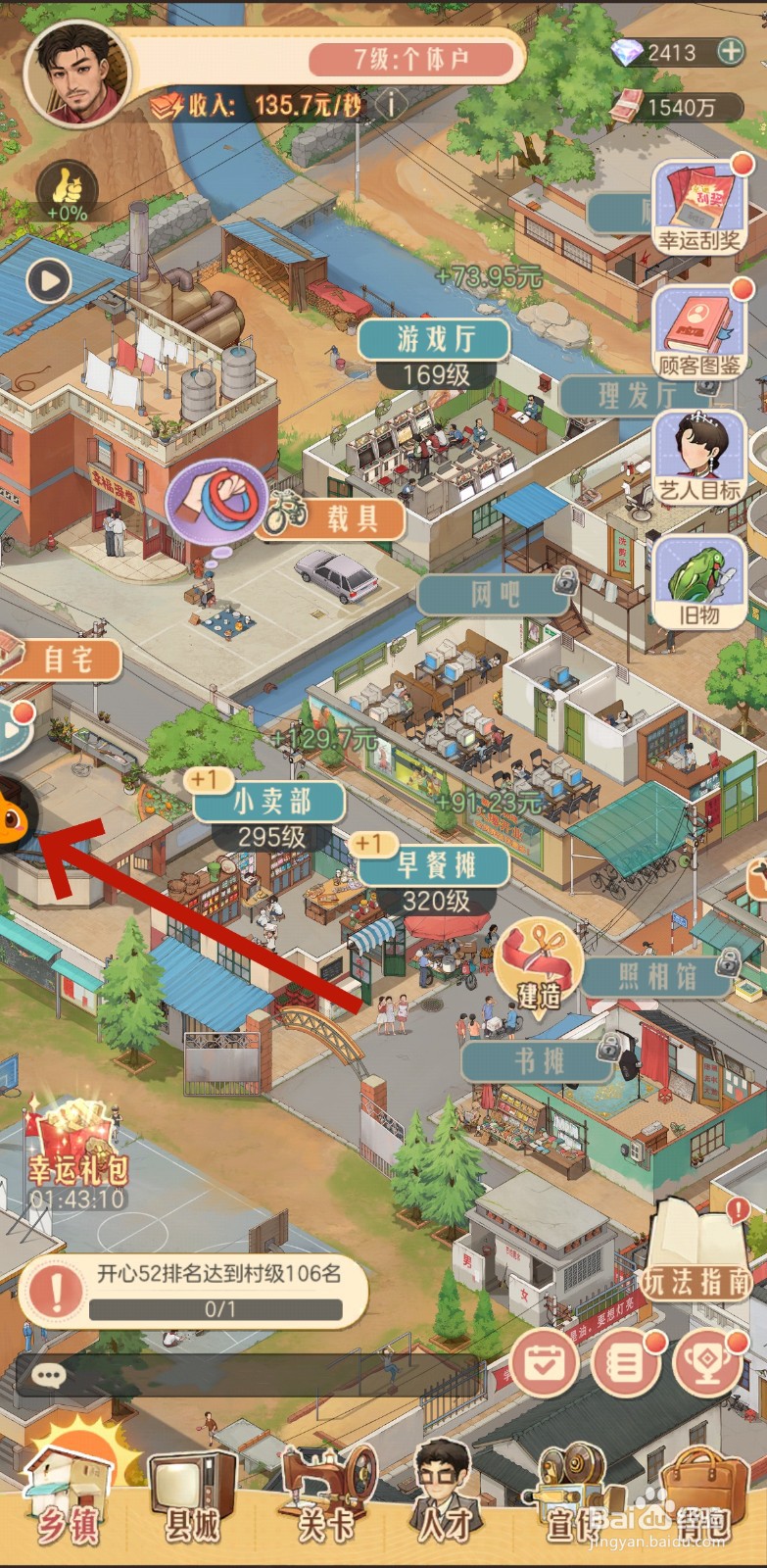
1、进入游戏,点击悬浮球。
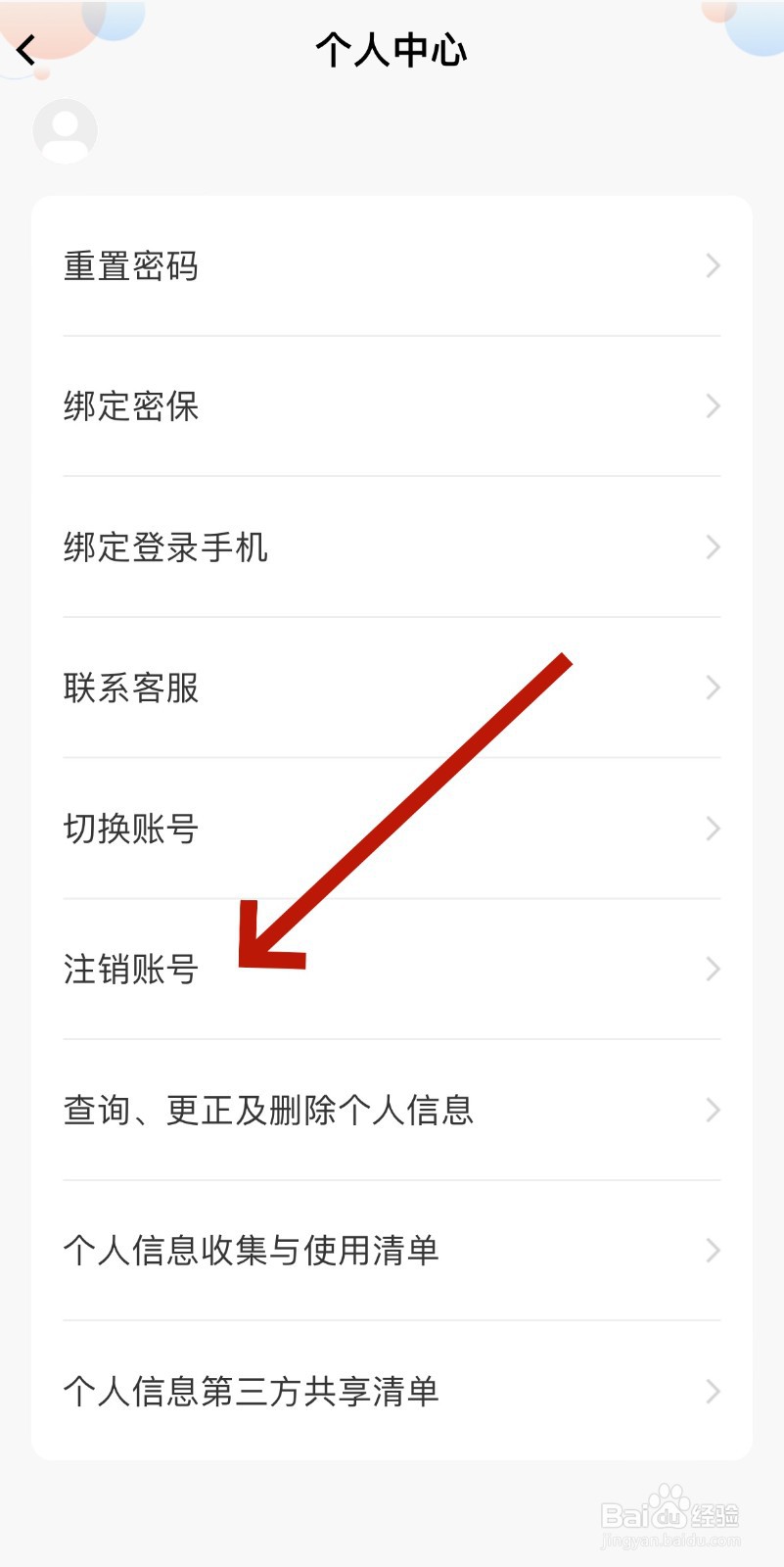
2、进入页面后,点击个人中心。
3、进入页面后,点击注销账号。
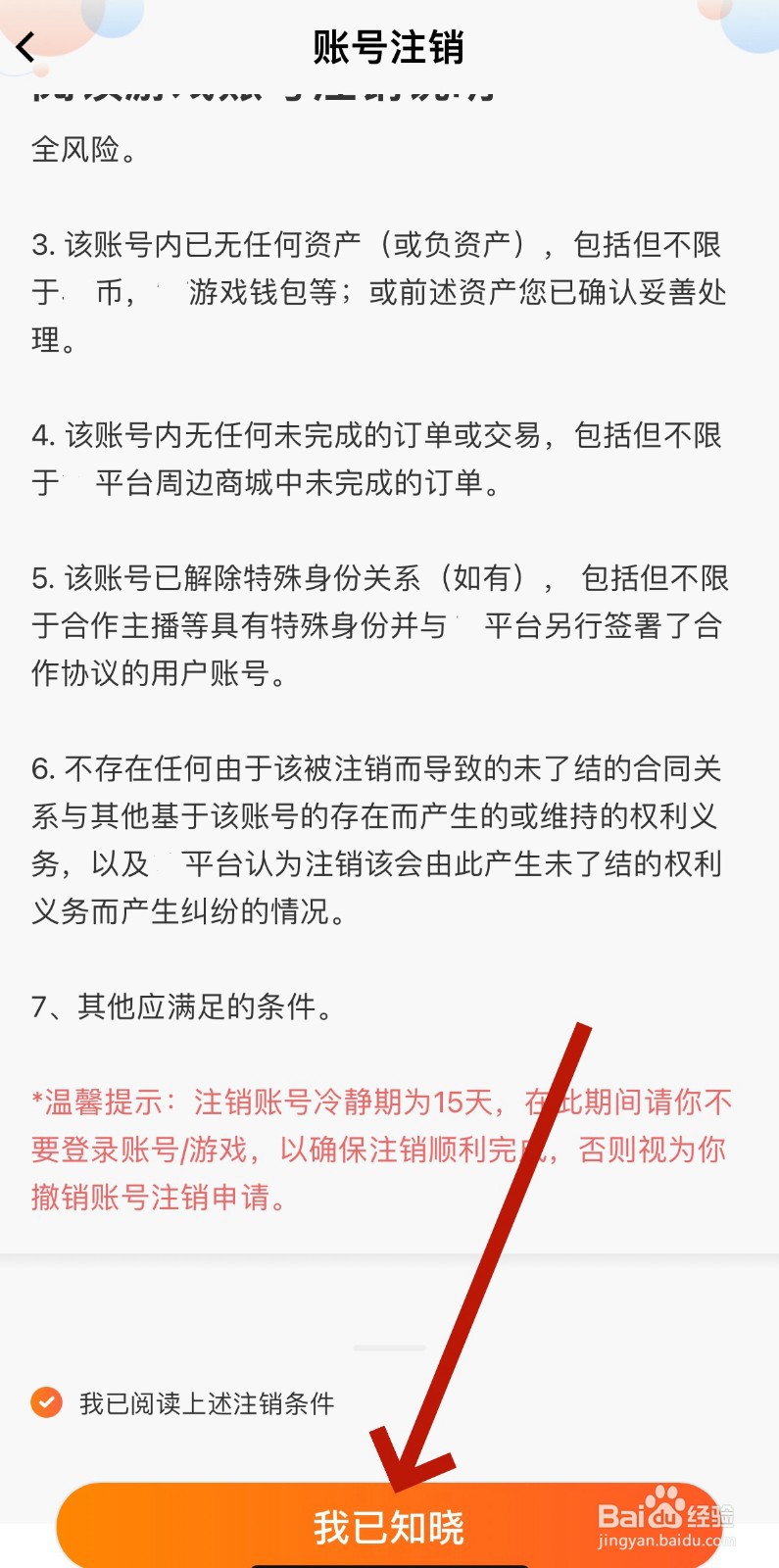
4、进入页面后,点击我已知晓。
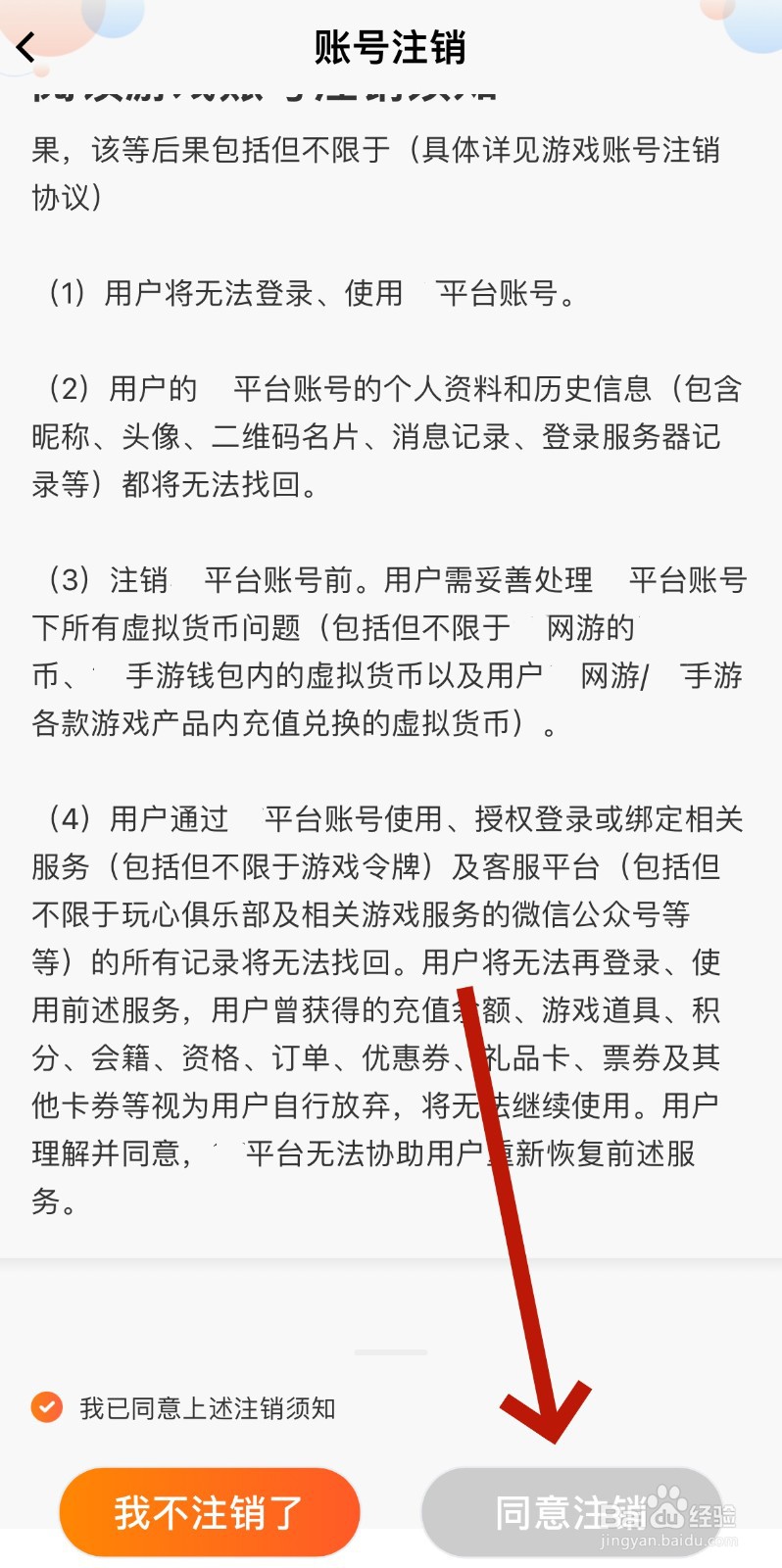
5、进入页面后,点击同意注销即可。
相关推荐
时光杂货店怎么解锁茶叶蛋
阅读量:89
时光杂货店怎么改名字
阅读量:87
时光杂货店在哪看邮箱
阅读量:194
时光杂货店锅贴怎么解锁
阅读量:142
时光杂货店怎么关闭游戏音乐
阅读量:137
猜你喜欢
海水鱼怎么养
手机自动关机是怎么回事
俞灏明怎么被烧的
吸奶器怎么用
蒸鸡蛋怎么做好吃又嫩
新生婴儿拉稀怎么办
移动空调怎么样
怎么可以吃兔兔
脂溢性脱发怎么办
小米净水器怎么样
猜你喜欢
肥肠怎么洗
曹真怎么死的
静脉曲张怎么预防
内外网同时上怎么设置
怎么消除脂肪粒
鸡脖子怎么做好吃
怎么扩大c盘空间
经常打喷嚏是怎么回事
自我推荐怎么写
数字水表怎么看