Excel中怎么插入函数
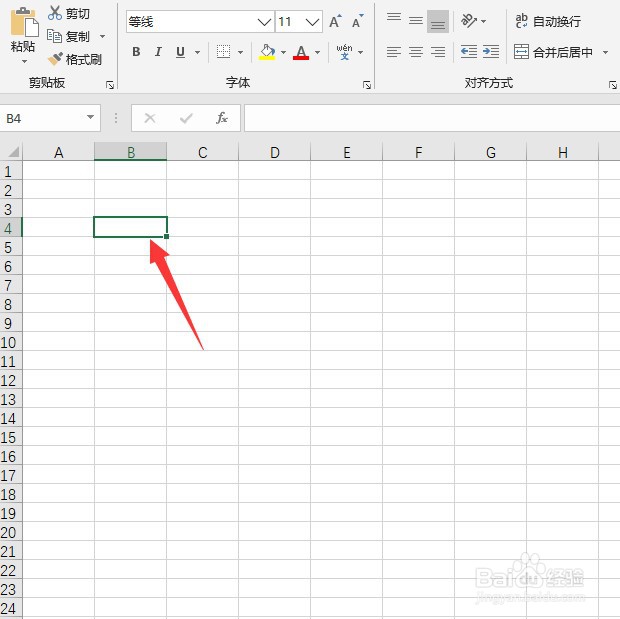
1、首先,选中工作表中的任一单元格,
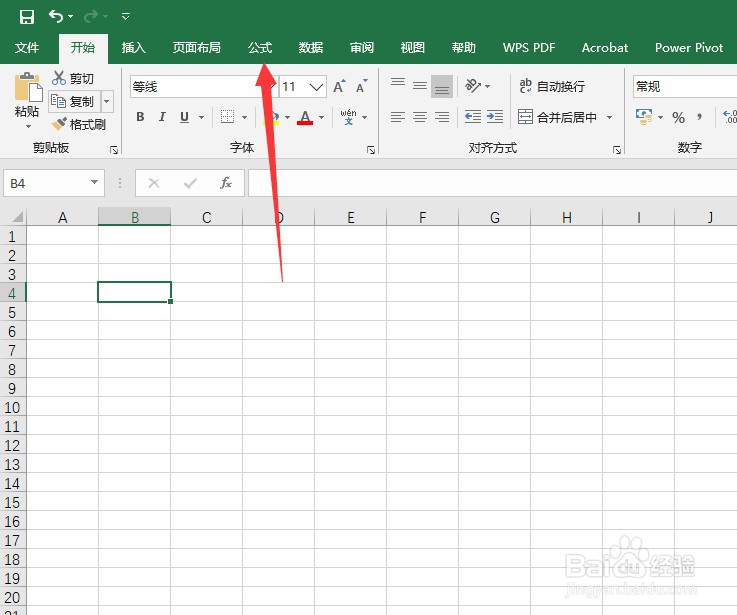
2、接下来,点击“公式”
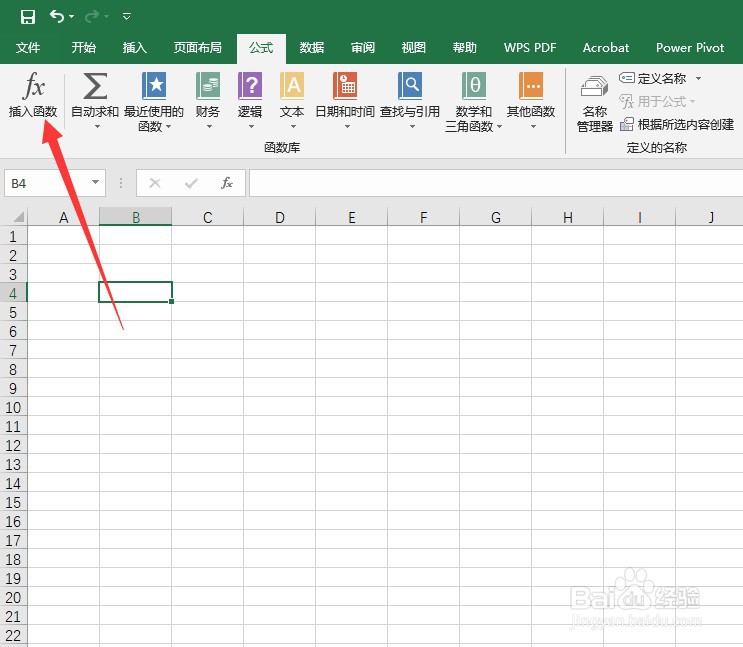
3、然后在公式选项卡中单击“插入函数”
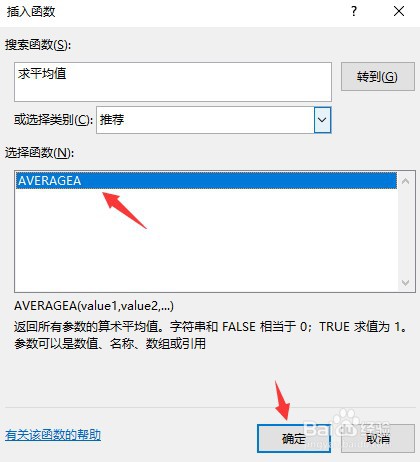
4、接下来,输入要做的事然后点击“转到”
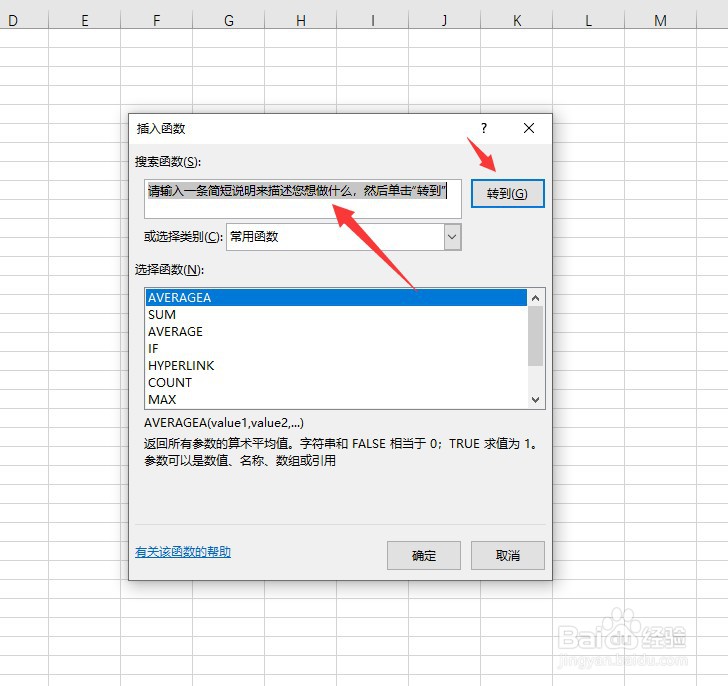
5、然后,选中查找到的函数,点击“确定”
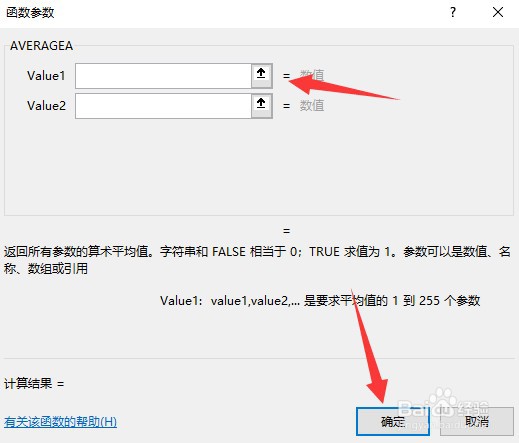
6、然后,选择表格中的值,
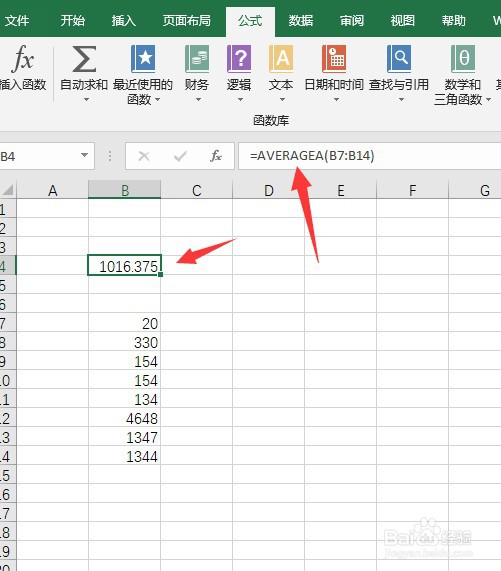
7、最后,就完成了公式的插入。
阅读量:191
阅读量:190
阅读量:75
阅读量:121
阅读量:20
1、首先,选中工作表中的任一单元格,
2、接下来,点击“公式”
3、然后在公式选项卡中单击“插入函数”
4、接下来,输入要做的事然后点击“转到”
5、然后,选中查找到的函数,点击“确定”
6、然后,选择表格中的值,
7、最后,就完成了公式的插入。