钉钉拉黑好友怎么设置
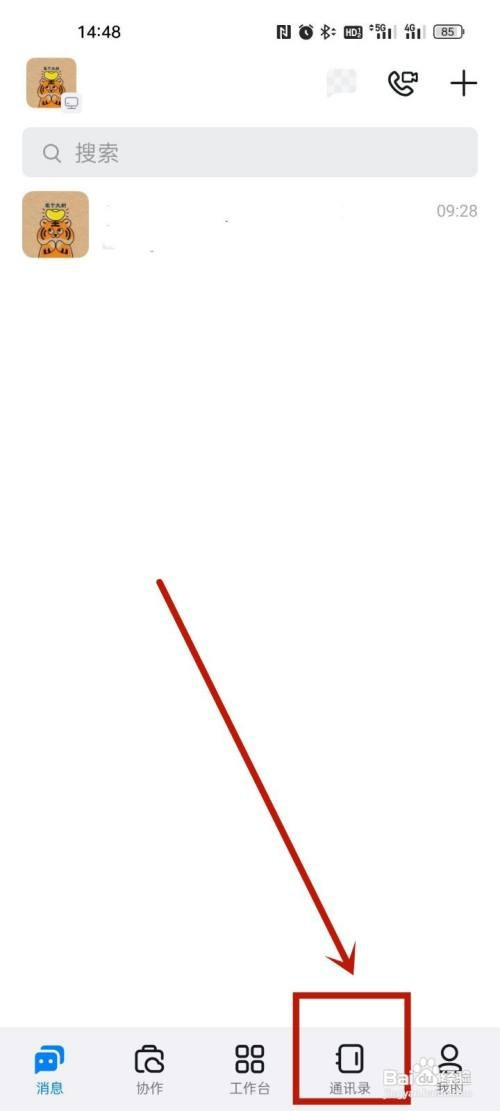
1、第一步,
点击通讯录
打开钉钉,点击通讯录。
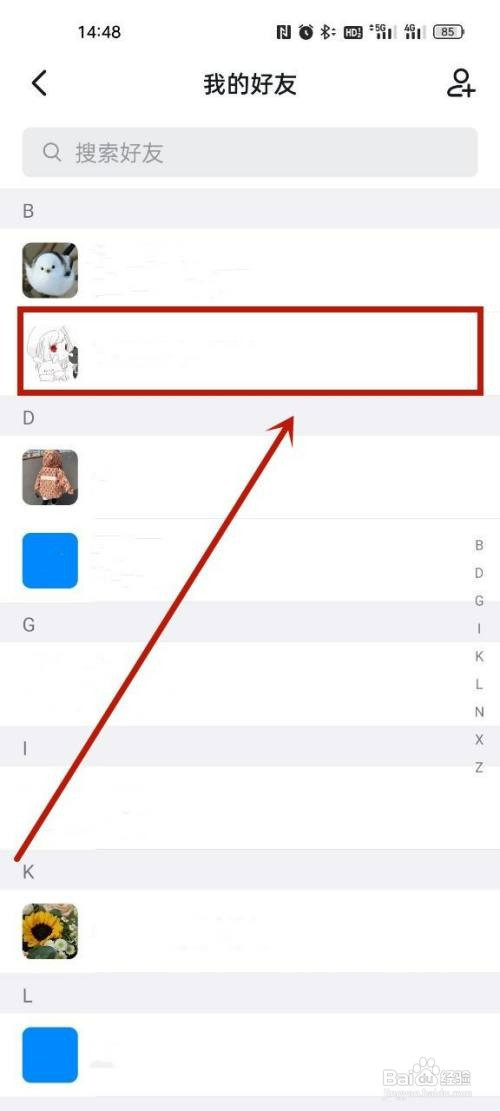
2、第二步,
点击我的好友
进入页面后,点击我的好友。

3、第三步,
选择好友
进入页面后,选择需要拉黑的好友。
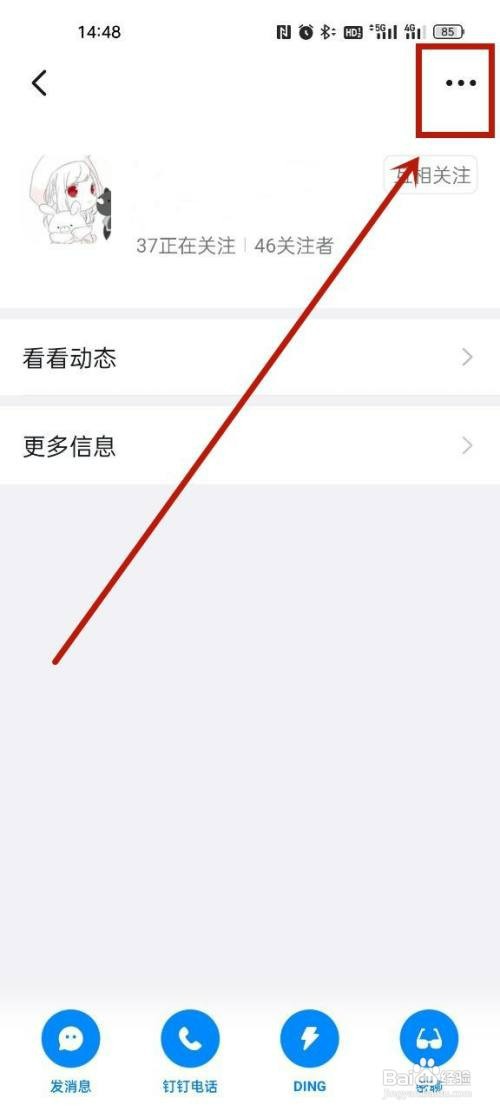
4、第四步,
点击设置
进入页面后,点击设置。
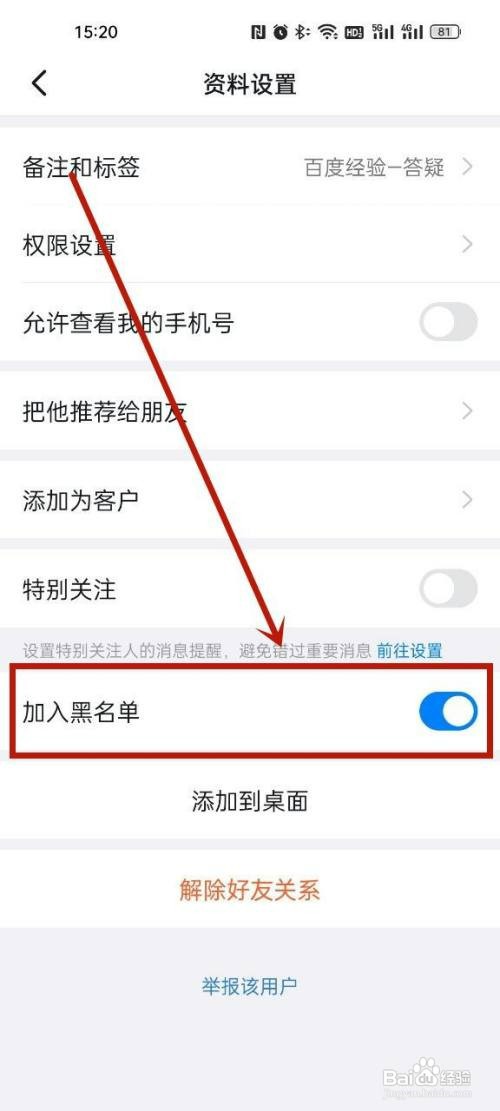
5、第五步,
完成拉黑
如图,打开加入黑名单即可。
1、第一步,
点击通讯录
打开钉钉,点击通讯录。
2、第二步,
点击我的好友
进入页面后,点击我的好友。
3、第三步,
选择好友
进入页面后,选择需要拉黑的好友。
4、第四步,
点击设置
进入页面后,点击设置。
5、第五步,
完成拉黑
如图,打开加入黑名单即可。