Fasting如何开启结束断食提醒通知
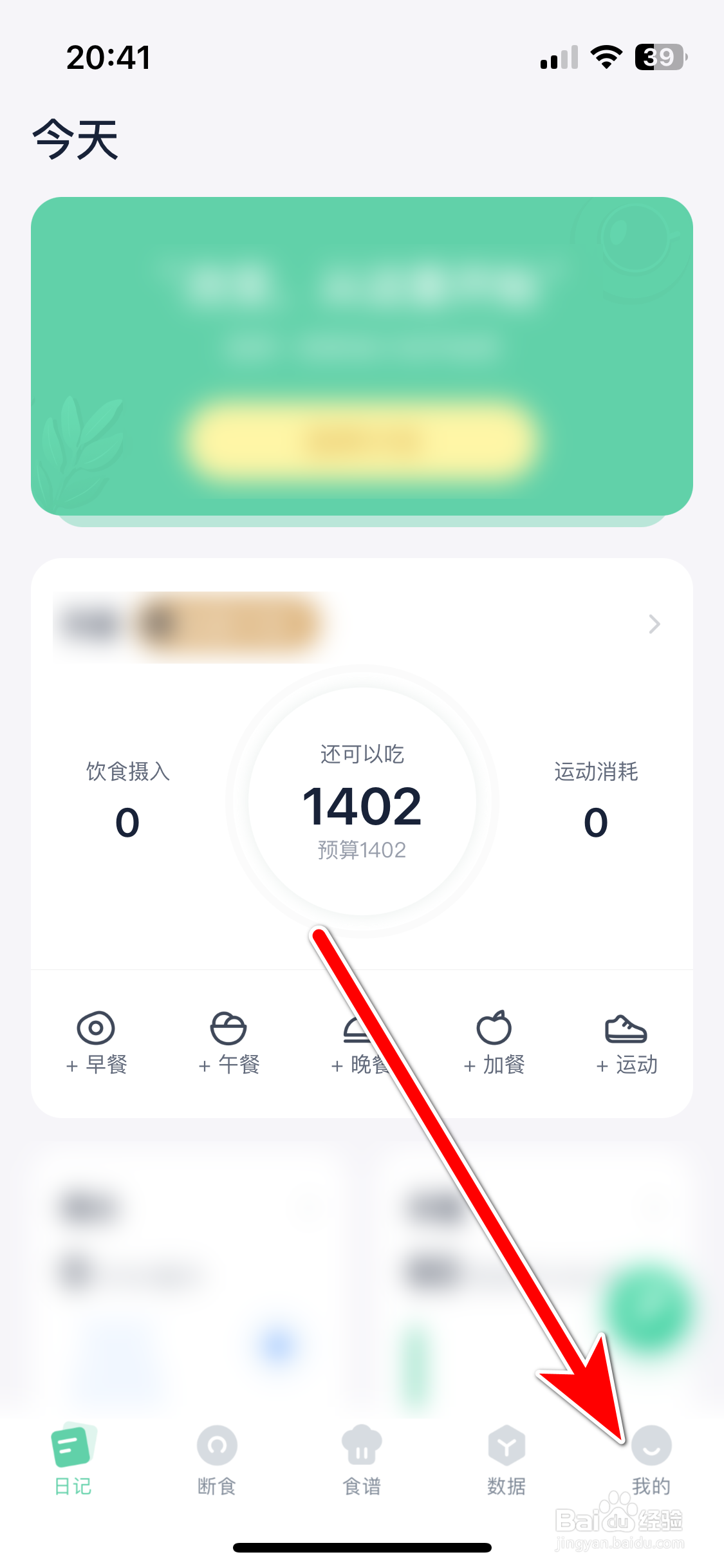
1、第一步:
在手机Fasting的首页中,选择【我的】。
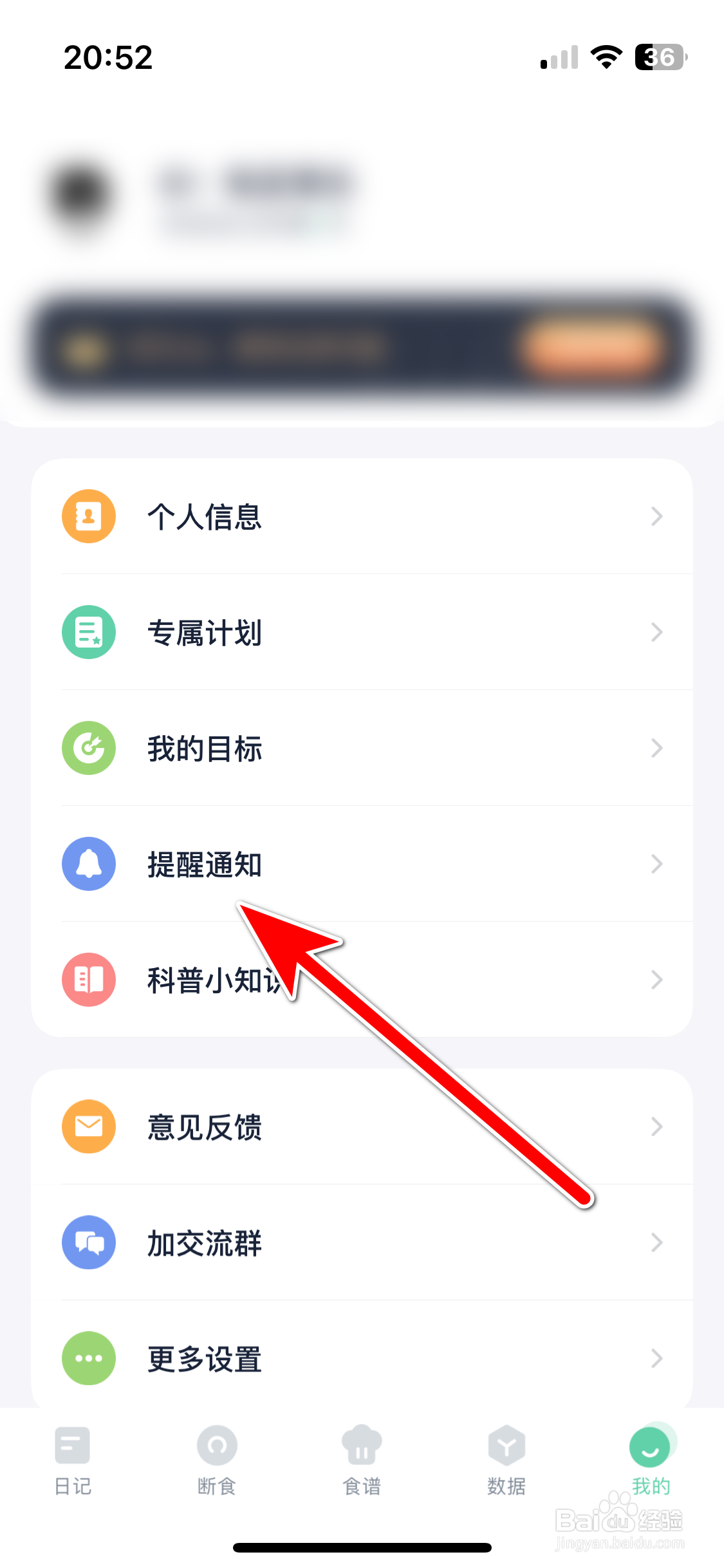
2、第二步:
选择【提醒通知】。
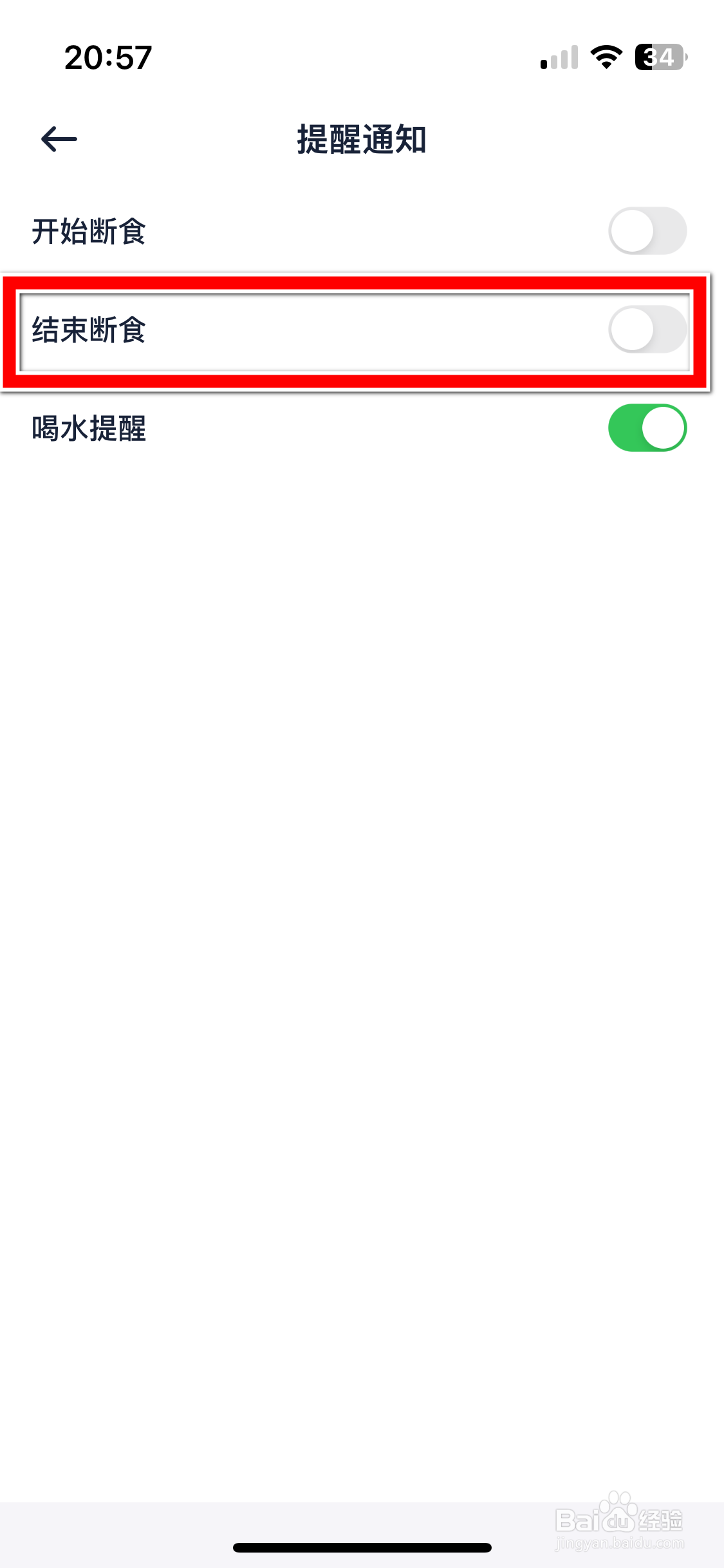
3、第三步:
点击【结束断食】选项后方的按钮。
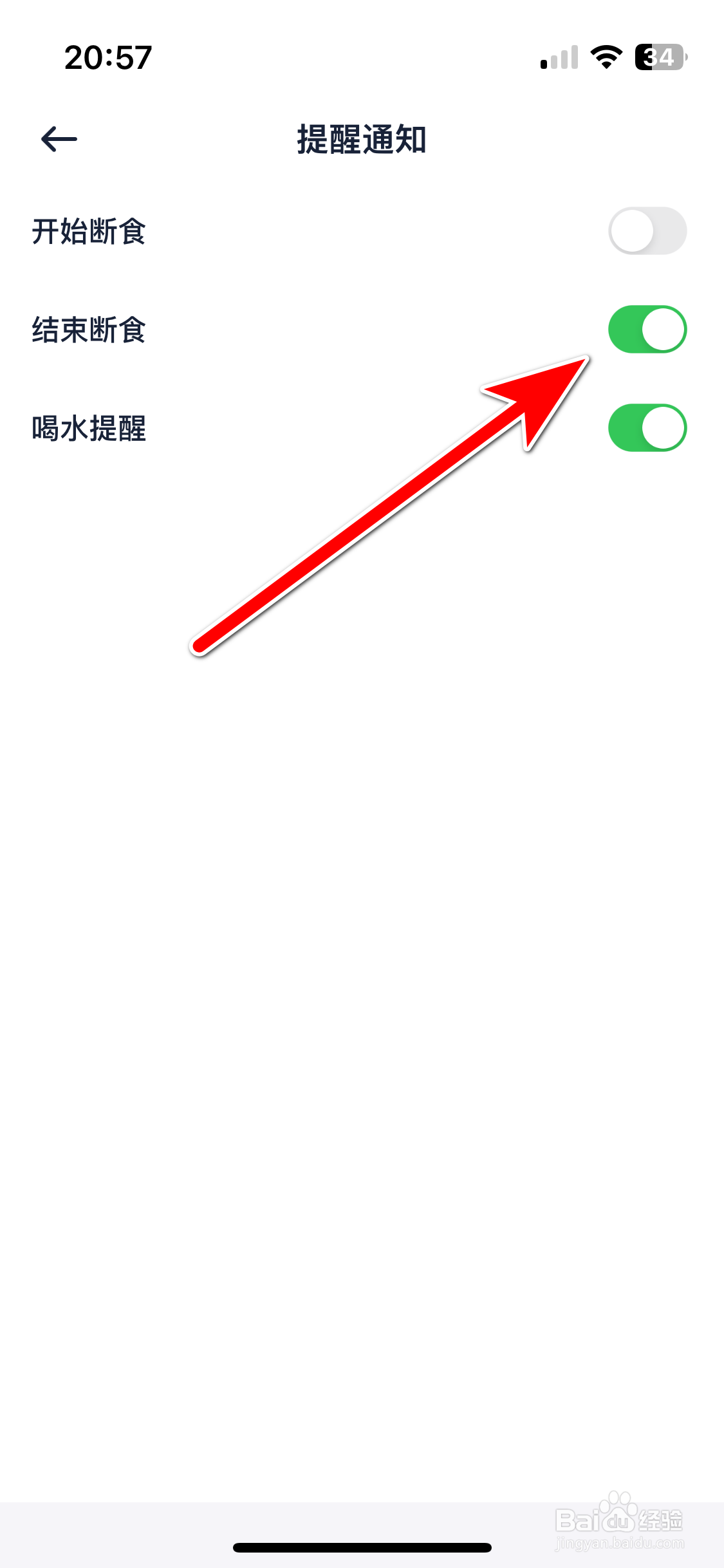
4、第四步:
打开按钮,即可开启结束断食提醒通知。
阅读量:113
阅读量:150
阅读量:167
阅读量:84
阅读量:45
1、第一步:
在手机Fasting的首页中,选择【我的】。
2、第二步:
选择【提醒通知】。
3、第三步:
点击【结束断食】选项后方的按钮。
4、第四步:
打开按钮,即可开启结束断食提醒通知。