oppo手机钉钉群收款如何操作
1、点击加号
打开群聊页面,点击加号。

2、点击群收款
进入页面后,点击群收款。

3、点击发起收款
进入页面后,点击发起群收款。

4、发起收款
进入页面后,设置金额发起收款。
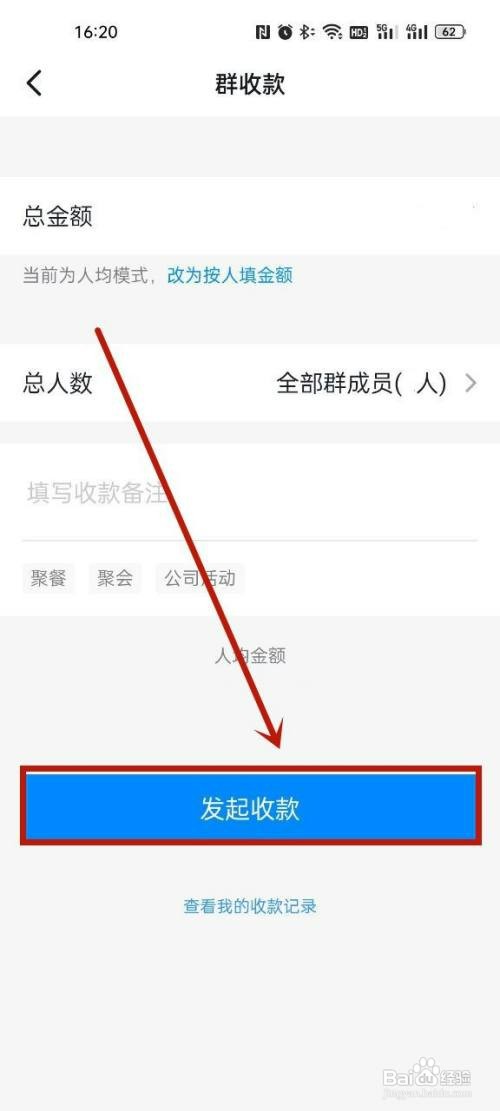
5、完成收款
如图,即可完场发起收款。

阅读量:123
阅读量:99
阅读量:48
阅读量:42
阅读量:71
1、点击加号
打开群聊页面,点击加号。
2、点击群收款
进入页面后,点击群收款。
3、点击发起收款
进入页面后,点击发起群收款。
4、发起收款
进入页面后,设置金额发起收款。
5、完成收款
如图,即可完场发起收款。